
Your staff
Staff access
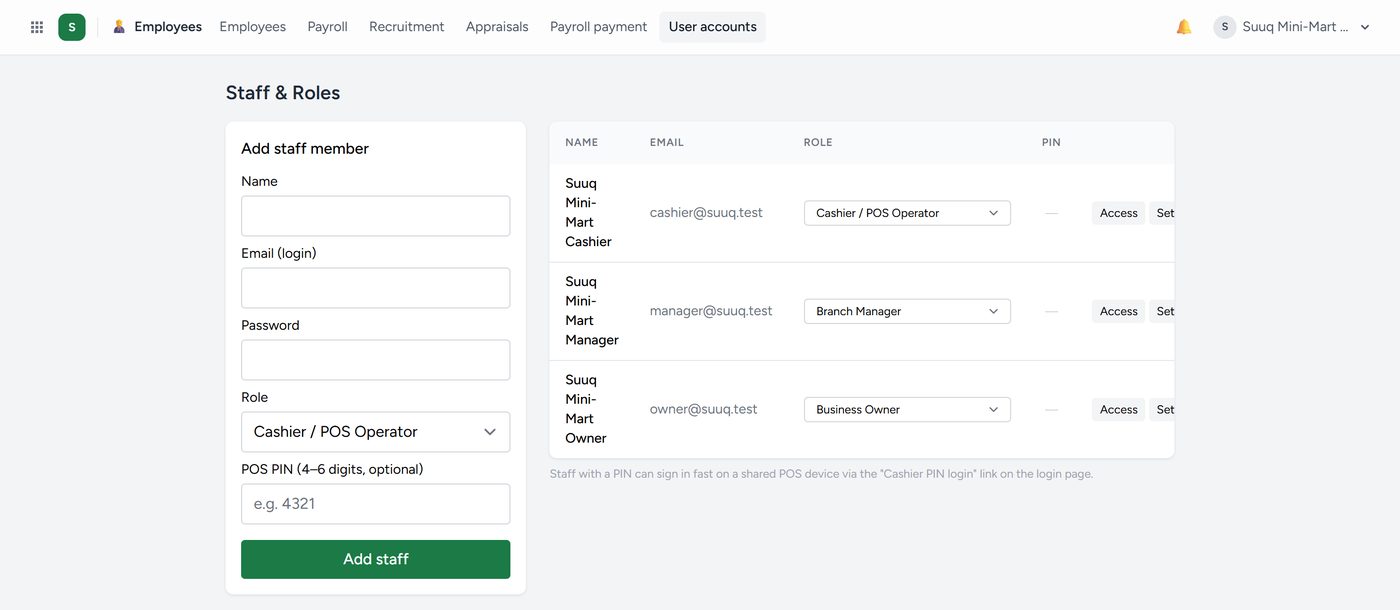
Staff & Roles, under your name at the top right (also Employees → User accounts), is where you create logins, set roles and set till PINs.
To give somebody a login:
- Click + Add a person and enter their name and email. Kaydro emails them a link to confirm their address; they sign in with their own password.
- Choose What they do: their role.
- Optionally give them a Till PIN of 4 to 6 digits for a fast sign-in at a shared till or restaurant screen.
They are put in Employees at the same time, or linked to the card Employees already had with the same email or phone. Under each person are ticks for single permissions; each tick saves straight away.
Give people the least access that lets them do their job. It is not a matter of trust. It is that mistakes are less expensive when fewer screens are within reach.
Roles for your trade
The roles on offer follow your apps: For your business, your trade's roles first, and Every company (owner, manager, accountant, sales, cashier, storekeeper). Another trade's roles are not offered. The manager also takes your trade's word: Property manager, School administrator, Restaurant manager, Clinic manager, Station manager, Transport manager and so on.
| Role | Trade | What they may do |
|---|---|---|
| General manager | Property | The manager's day, plus landlords' statements, approvals and the money reports |
| Operations manager | Property | The manager's day across every building |
| Building manager | Property | Lettings, rent, meters, repairs and expenses, only in the buildings ticked for them |
| Caretaker | Property | Repairs and water meter readings |
| Rent collector | Property | Tenants, rent and payments |
| Head teacher | School | The manager's day, plus the money reports |
| Bursar | School | The books, and the school office: fees, students, demand notes |
| Barista | Restaurant, café | The bar screen: orders in, marked ready |
A building manager sees no buildings until you tick theirs on Staff & Roles. The screen reminds you in amber.
One login for several companies
A chain owner, an accountant keeping three shops' books, or a cashier covering two businesses needs only one login. To add somebody who already uses Kaydro elsewhere:
- On Staff & Roles, find Already uses Kaydro? Add them to this company.
- Enter their email and the role they will hold here.
- Click Add to this company.
They need no new password. People added this way are listed under the form, each with Remove (not while they are working in your company).
To switch, click your name, top right, then Company. You land on that company's dashboard with the role you hold there: owner in your own shop, cashier in another. You work in one company at a time, and each company's data stays separate.