
Before you begin
Signing in
Open a browser and go to your Kaydro address. You will see the sign-in page.
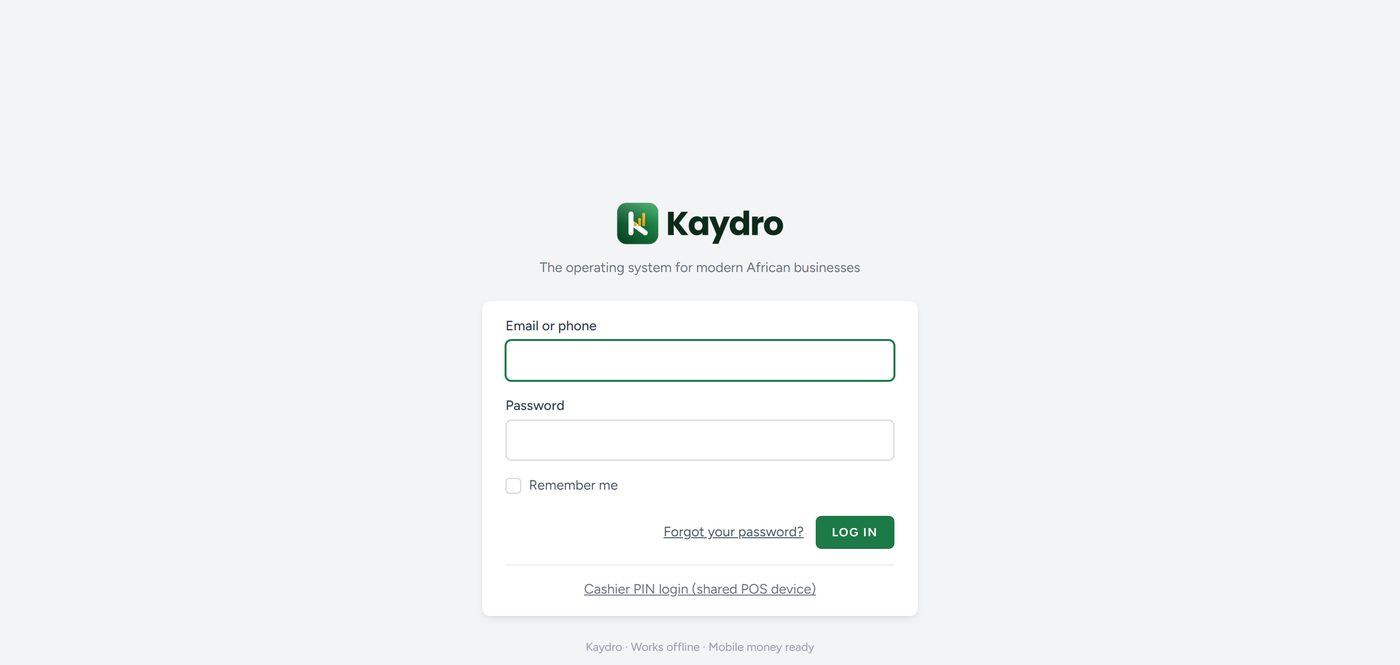
- Type your email address or phone number in the first box.
- Type your password.
- Tick Remember me if this is your own computer or phone. Do not tick it on a shared machine.
- Click Log in.
If the password is wrong, Kaydro says so without telling you whether the email exists — that is deliberate, and it protects your customers' accounts. After several wrong attempts the system pauses you for a short time. Wait, then try again.
If you forgot your password
Click Forgot your password? and enter your email. A reset link is sent to that address. The link works once, and it expires.
Note. If your business has not set up outgoing email yet, the reset message cannot reach you. In that case ask your manager or Kaydro to set a new password for you directly. Sorting out email is worth doing early for exactly this reason.
Signing in at a shared till
A shop with one till and three cashiers should not share one password. Use the Cashier PIN login link at the bottom of the sign-in page instead. Each cashier gets their own short PIN, so every sale is recorded against the person who actually made it, and nobody needs to type a long password between customers.
Your manager sets each cashier's PIN in Settings → Staff.