
Your staff
Payroll
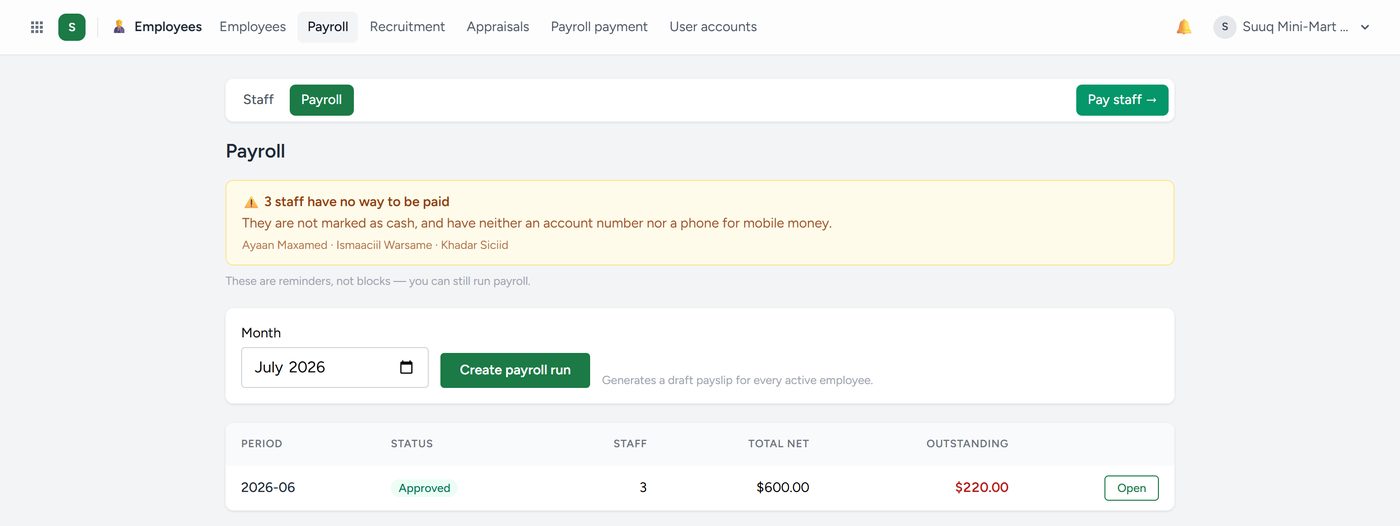
Employees → Payroll, or Run payroll on the Staff & Payroll screen.
- Choose the Month and click Create payroll run. Kaydro makes a draft payslip for every active employee.
- Adjust individual slips (overtime, an advance, a deduction) and click Save adjustments.
- Review the totals.
- Click Approve payroll. Allowances and deductions lock.
With Kenyan payroll the run also shows what to remit: PAYE to KRA, NSSF, SHIF to SHA and the Housing Levy, with the staff and employer shares.
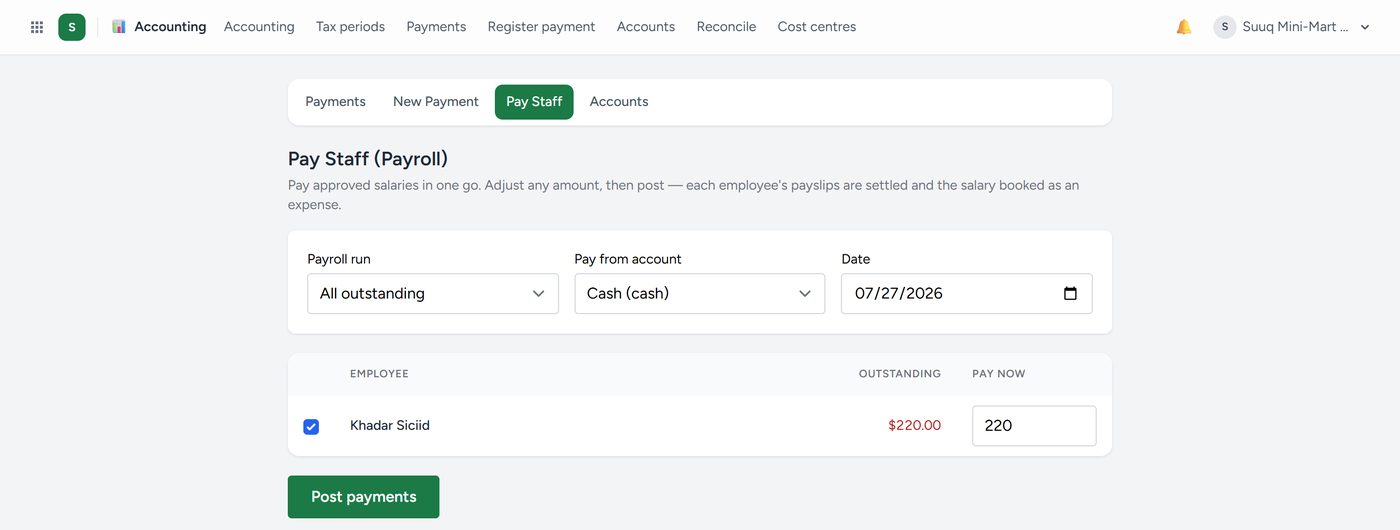
Approving a run does not move money. Paying it does: click Pay staff, or go to Employees → Payroll payment, and settle the whole run against a real account in one step. Staff with a login download their payslips from My page.
Attendance in the payslip
Turn on Attendance goes into payroll in Attendance → Settings → Rules and payroll, and each payslip takes from the month:
- days absent without leave, at a day's pay (base pay divided by the days in the month), as a deduction. This part can be switched off;
- approved overtime hours, at the hour's pay times the rate (1.5 by default), as an allowance;
- late minutes, if lateness in pay is on.
The printed payslip shows the breakdown, for example "Of which, from attendance: overtime 2 h · 1 day absent". Unpaid leave is deducted once, never twice.
Before you approve, the payroll screen names anything still open: unanswered corrections, overtime waiting, missing clock-outs, people with no shift. Deal with them first, because an approved month can no longer be corrected.
Kaydro warns you before you pay somebody whose contract has ended, or twice in the same month. Read the warnings.